Version 3.8 of the Toolbox App restores keyboard navigation in project and tool lists. On macOS, manual IDE updates stay available even when the system reports the installation directory as protected.
IDE updates remain available on macOS
macOS was sometimes incorrectly reporting an IDE installation directory as non-writable, causing the Toolbox App to needlessly disable an update that would have otherwise succeeded.
When this happens in Version 3.8, the update remains available for manual installation. If macOS blocks it, the Toolbox App shows instructions for resolving the issue.
See TBX-10297 for details.
Keyboard shortcuts and navigation work again
On Windows, you can use Ctrl+1 and Ctrl+2 to switch between the Tools and Projects tabs.
You can use the Up Arrow and Down Arrow keys to move through project and tool lists, including after filtering a list. Page Up, Page Down, Home, and End move through long lists as expected.
See TBX-15385 for list navigation and TBX-19029 for tab shortcuts.
Cleanup progress for leftover directories
When cleaning up leftover IDE directories, the Toolbox App now shows progress for each tool and for the full cleanup. It keeps the delete controls disabled until cleanup and rescanning finish, so you cannot start the same cleanup twice.
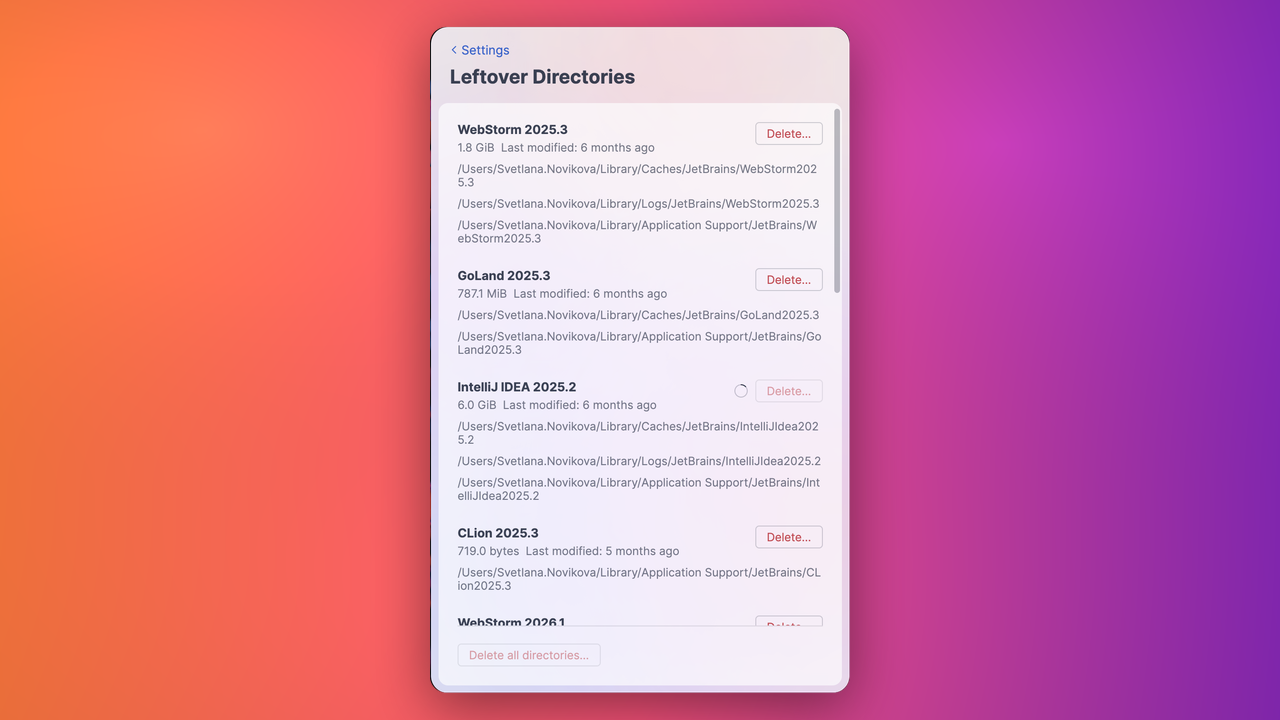
See TBX-9661 for details.
We’d love to hear what you think about version 3.8 of the Toolbox App. Share your feedback in the comments.
The JetBrains Toolbox App team