I used to carry around my trusted Canon 350D camera everywhere. But these days, I don’t need a bulky DSLR to capture beautiful photos. I just use my iPhone.
If you’re like me and are more than happy shooting with the iPhone, you might be looking for some tip-top extras to make the process even more rewarding. And that’s where we come in, as the curated list below is stacked with iPhone accessories designed to elevate your smartphone snaps and videos. Let’s see what’s in store.
Moment lenses
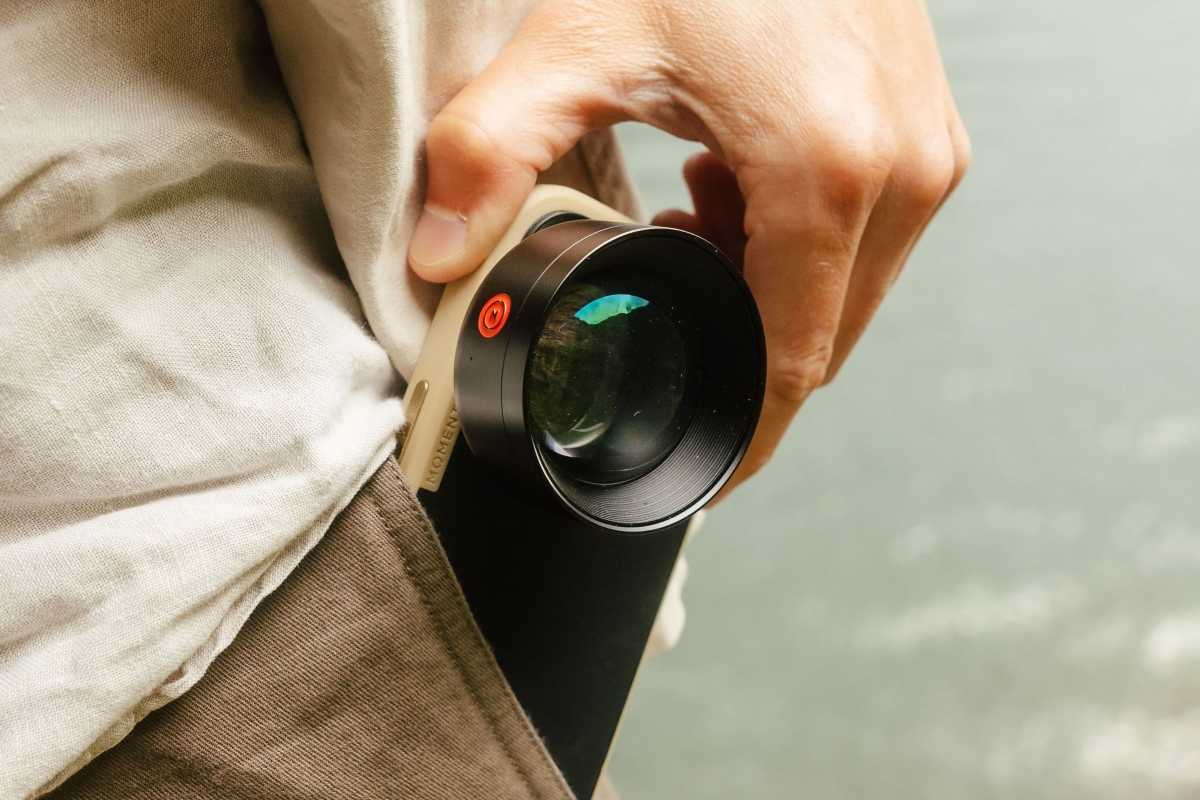
Apple’s iPhone cameras are superb when it comes to their image quality, especially on the latest models. But even Apple’s best lack some of the range and features you’ll find in dedicated SLR lenses. How do you go about getting the best of both worlds? With some of Moment’s iPhone lenses.
Moment makes all sorts of specialist lenses for a range of iPhone models. You’ll find everything from close-up macro options to cinematic anamorphic lenses, with plenty of choices available to fit your needs. Just ensure you pick up a compatible case or mounting system and you’ll be good to go. Check out Moment’s Mobile Lens Store at Amazon.
ShiftCam ProGrip
ShiftCam
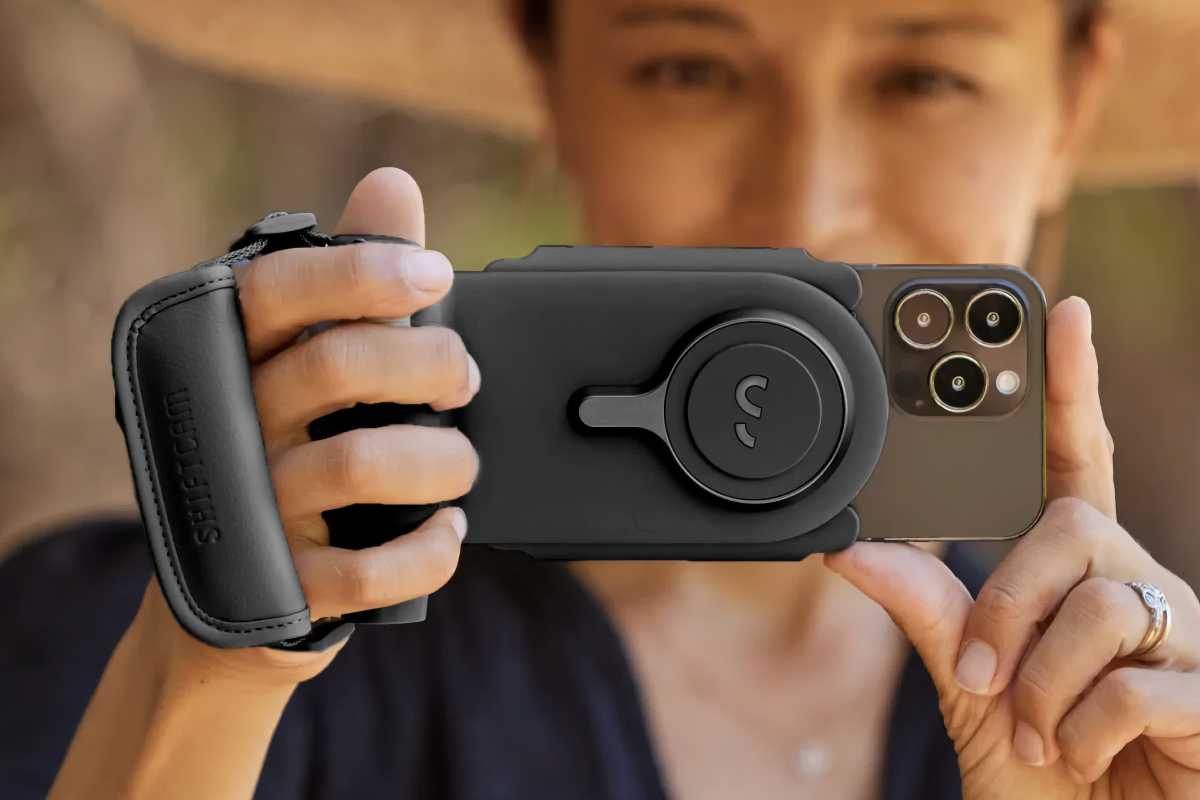
It’s surprisingly easy to fumble your iPhone when you’re trying to line up the perfect shot, especially if you’re in the middle of the action and everything is moving quickly. To ensure you don’t miss out on that unique moment, consider getting one of ShiftCam’s ProGrip attachments.
This adds an SLR-style hand grip and trigger button to your iPhone setup. It holds your iPhone in place (landscape or portrait) while giving you a rock-solid grasp when shooting. It also makes it much easier to snap your photos one-handed and even has a built-in power bank to keep you going on long shoots. See the ShiftCam ProGrip on Amazon.
SmallRig All-in-One Video Kit for Smartphone Creators
SmallRig
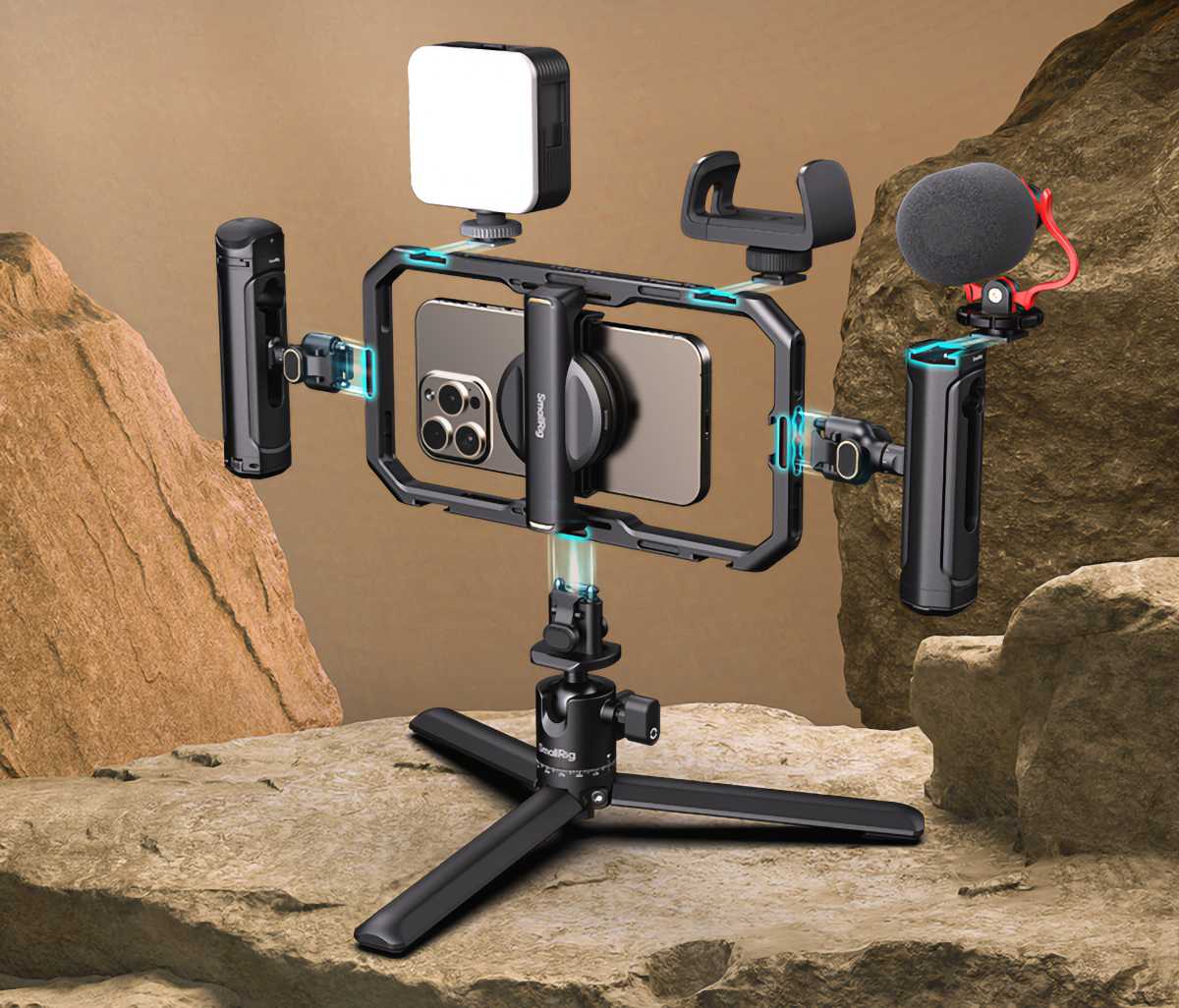
For more control over your iPhone photography and filming work, it’s worth investing in a two-handed grip. One of the best is the SmallRig All-In-One Kit for Smartphone ($189 on Amazon), and it really is just about all you need for this sort of work.
Here, you’ll find two sturdy hand grips, a 360-degree tripod, a cardioid microphone, cold shoes and holders for attaching accessories like flashes and battery packs, and all the cables you need to get started. If you’ve ever thought about doing some serious shooting with your iPhone, it’s a great piece of kit to have.
SeaLife SportDiver Ultra
SeaLife
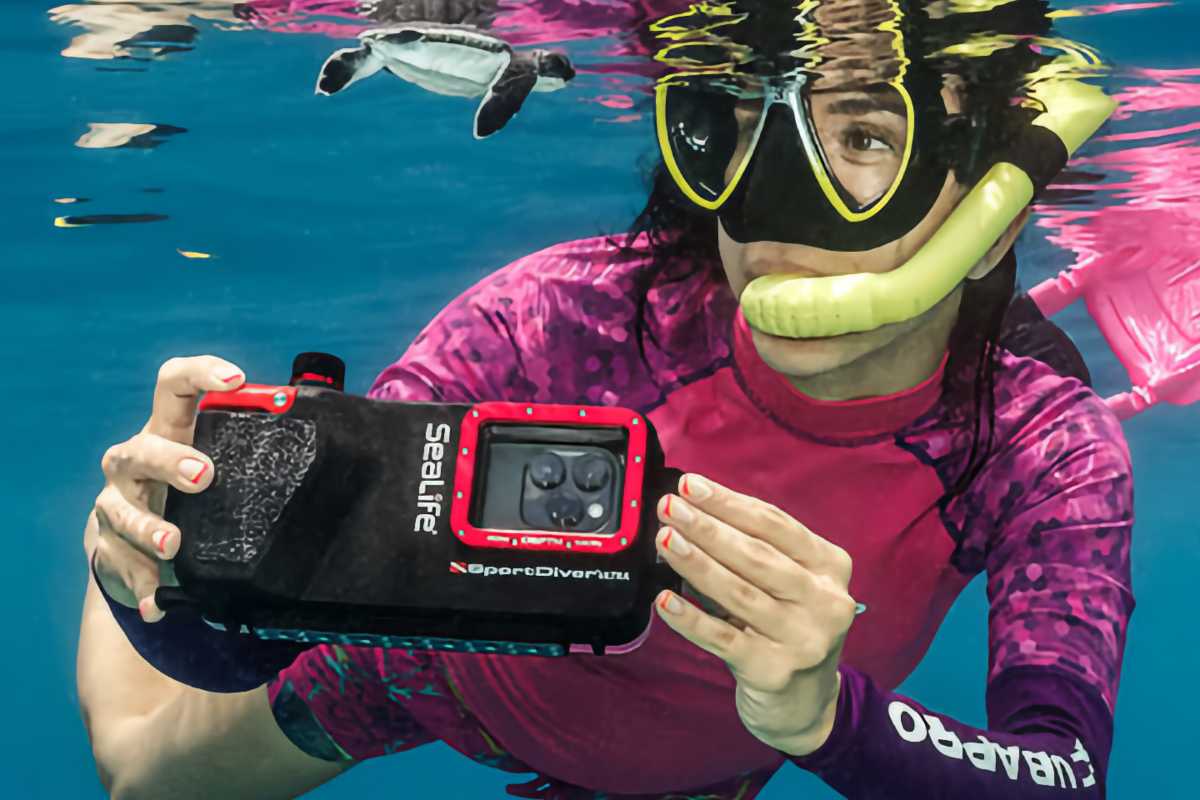
Modern iPhones have a degree of water resistance these days, but you shouldn’t rely on its built-in protection for serious underwater photography. Instead, you need a proper waterproof case.
A good example is the SeaLife SportDiver Ultra ($349 on Amazon). It’s certified for use down to depths of 130 feet (40 meters), giving you peace of mind that it can hold its own on the vast majority of dives. There’s an included color correction filter to ensure everything looks as it should, while its anti-fogging capsule keeps your pictures clear and moisture-free. It’s also designed to be easy to hold and use, even when you’re wearing diving gloves.
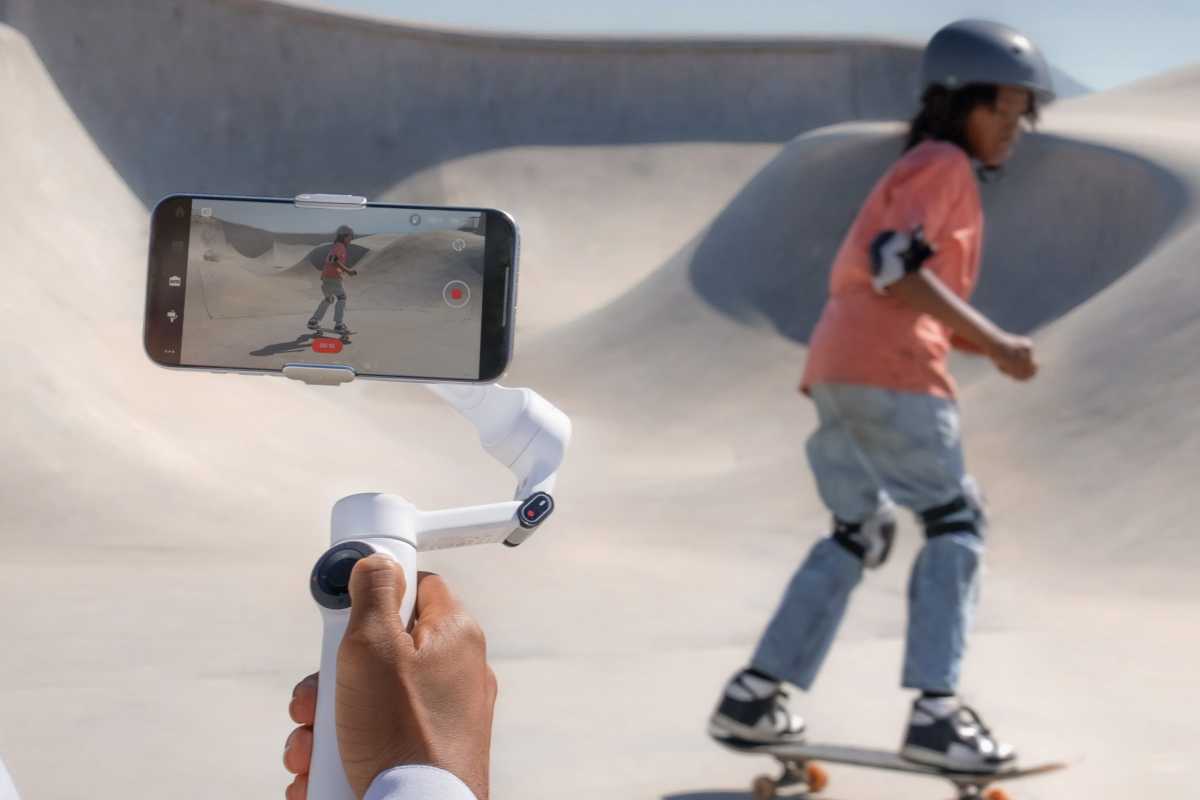
Insta360 Flow 2
Insta360
Tired of shaky photos and videos? You need a gimbal. One of your best options is the Insta360 Flow 2 ($110 on Amazon), a phone holder that can keep your device stable and level, and make wobbly results a thing of the past.
This model features three-axis stabilization for ultimate smoothness, a built-in selfie stick, tripod and power bank, and a smartphone remote control. On the software side, you get zoom and multi-person tracking to keep your subjects in the frame at all times, and you can even use your Apple Watch as a trigger and framing device. It’s a good choice if action shots are your bread and butter.
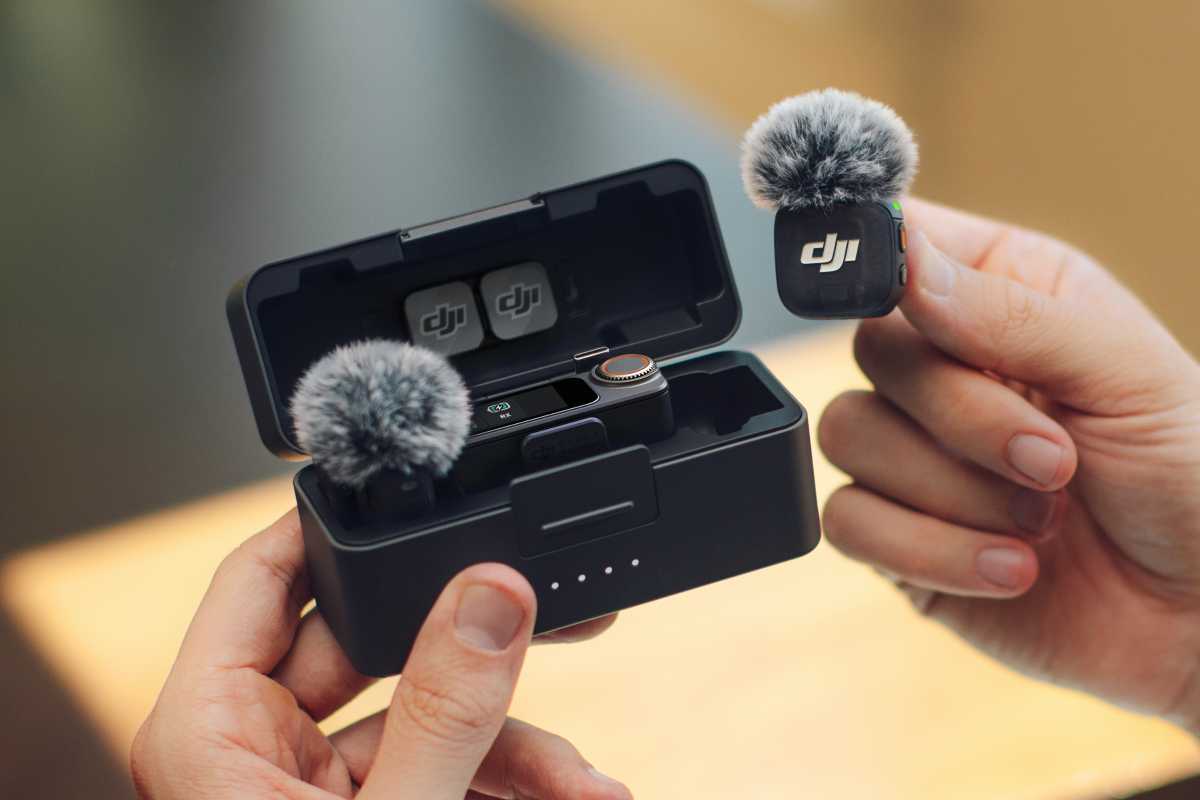
DJI Mic 3
DJI
Whether you’re conducting interviews or recording yourself for social media, a dedicated microphone can give you much better results than just using the one included in your iPhone. But there’s no need to get a big, bulky mic that’s a pain to lug around. Buy the DJI Mic 3 instead ($259 on Amazon).
It’s easy to get started thanks to its magnetic clip that lets you attach it to any piece of clothing. With two levels of active noise cancelation, your recordings should be well protected against external distractions, and its software-integrated timecode and support for 32-bit float make it an attractive option for video editors. It’s the type of accessory that performs far beyond what you’d expect from its pocketable frame.
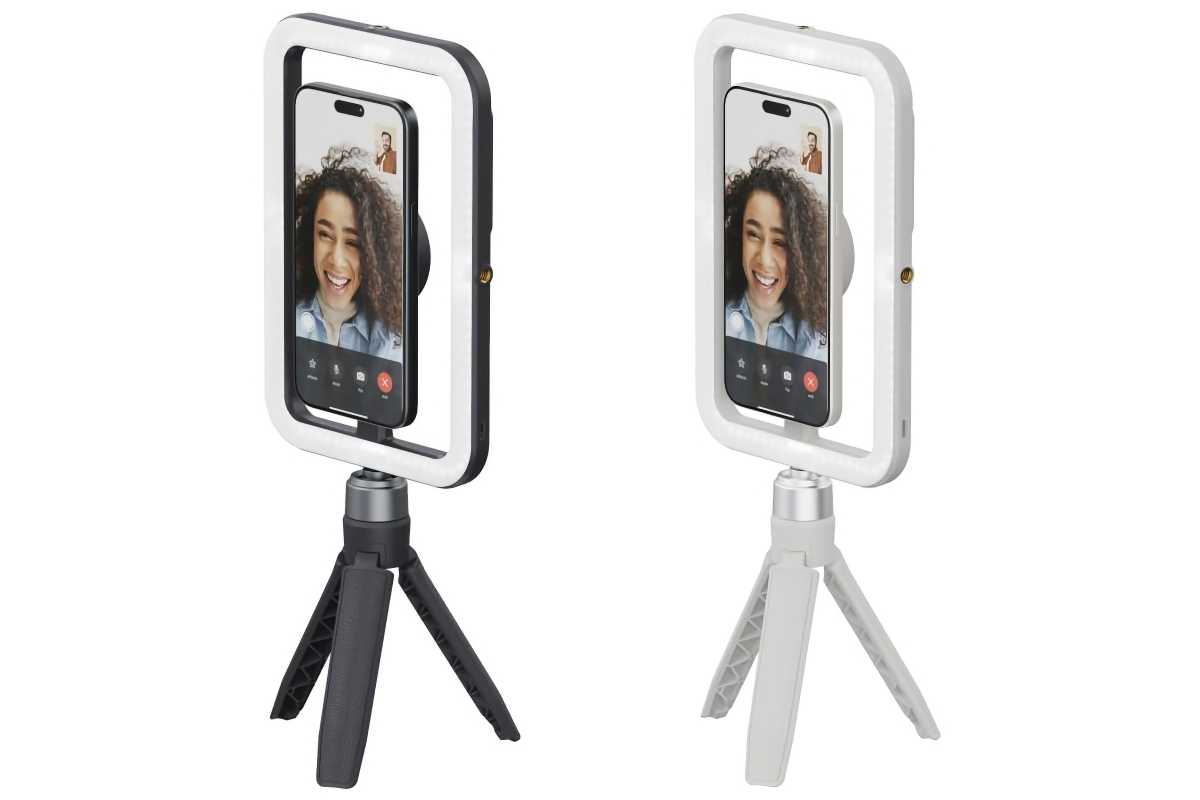
ShiftCam SnapStudio Light
ShiftCam
The nighttime performance of Apple’s cameras has come on leaps and bounds in recent years, but you’ll still find scenarios where it falls a little short. For times like that, the ShiftCam SnapStudio Light ($89 on Amazon) can be a lifesaver.
This light rig snaps onto your iPhone’s MagSafe point and delivers up to 600 lumens of brightness, illuminating you without washing out the picture, and with an adjustable color temperature ranging from 2500K to 6000K, you’re always in control. There’s also a built-in grip that doubles up as a tripod, and you can flip the light through 180 degrees for picture-perfect selfies.
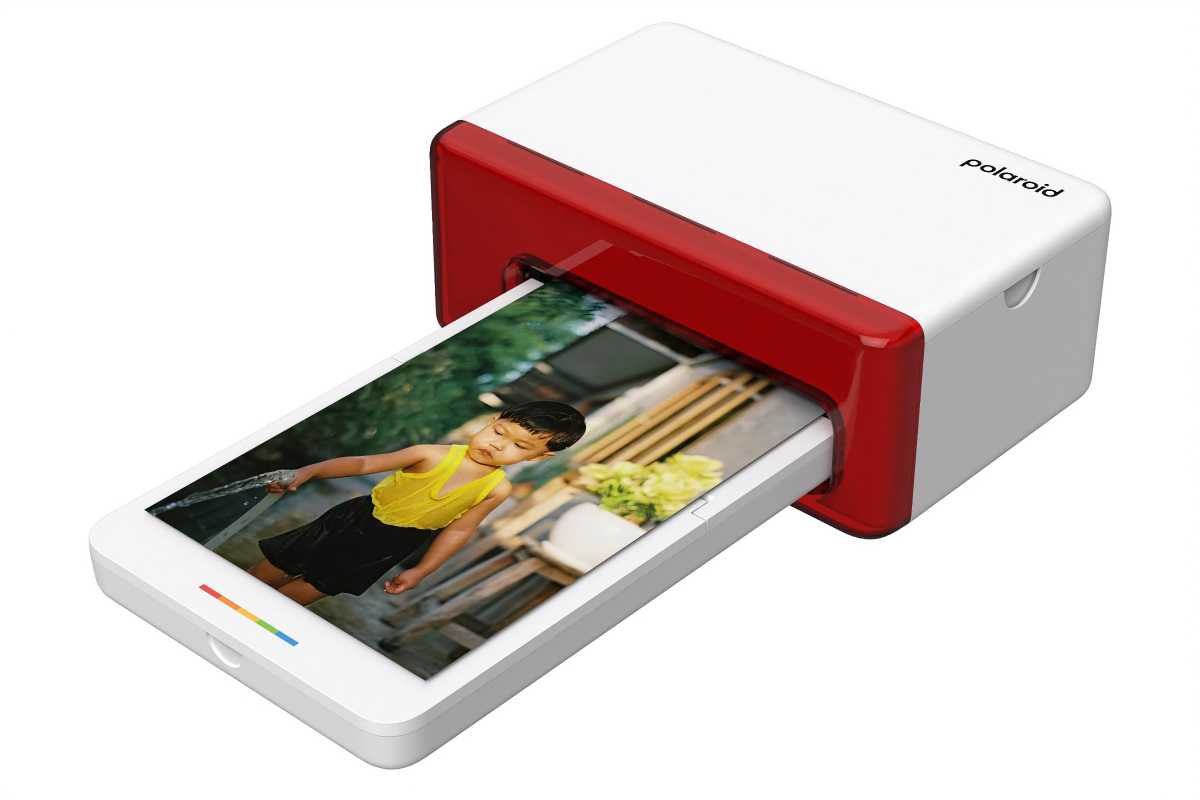
Polaroid Hi·Print 4×6 Photo Printer
Polaroid
What’s the fun of taking all these great photos on your iPhone if they stay confined to your device? Part of the joy is printing them out so you can frame them or share them with friends, which is exactly what you get with the Polaroid Hi·Print 4×6 Photo Printer ($149 on Amazon).
This nifty little product prints out your photos in the popular 4×6-inch format, giving you a new way to enjoy your snaps in just a few seconds. All you need to do is connect your iPhone to the Polaroid Hi-Print app and load the printer up with compatible paper, then you’re on your way. You can add text, frames, emojis and more to your images, or just print them as they are. Either way, it’s a neat way to enjoy a touch of print-out photo physicality the retro way.
Don’t sleep on the App Store
You don’t always need to buy an accessory to have a better time shooting photos and videos on your iPhone. In fact, some of the best extras are included for free inside iOS.
Take portrait mode, for example, which adds beautiful depth-of-field effects that can be edited after the fact. If you have an Apple Watch, you can use it as a remote shutter for your iPhone, perfect for family group shots. And iOS 27 now includes advanced AI editing tools.
If you want to look outside Apple’s walled garden, there is a mature ecosystem of pro-grade photo and video apps ready to explore. That includes the likes of Halide, (Not Boring) Camera, CapCut, Blackmagic Camera, and many more.