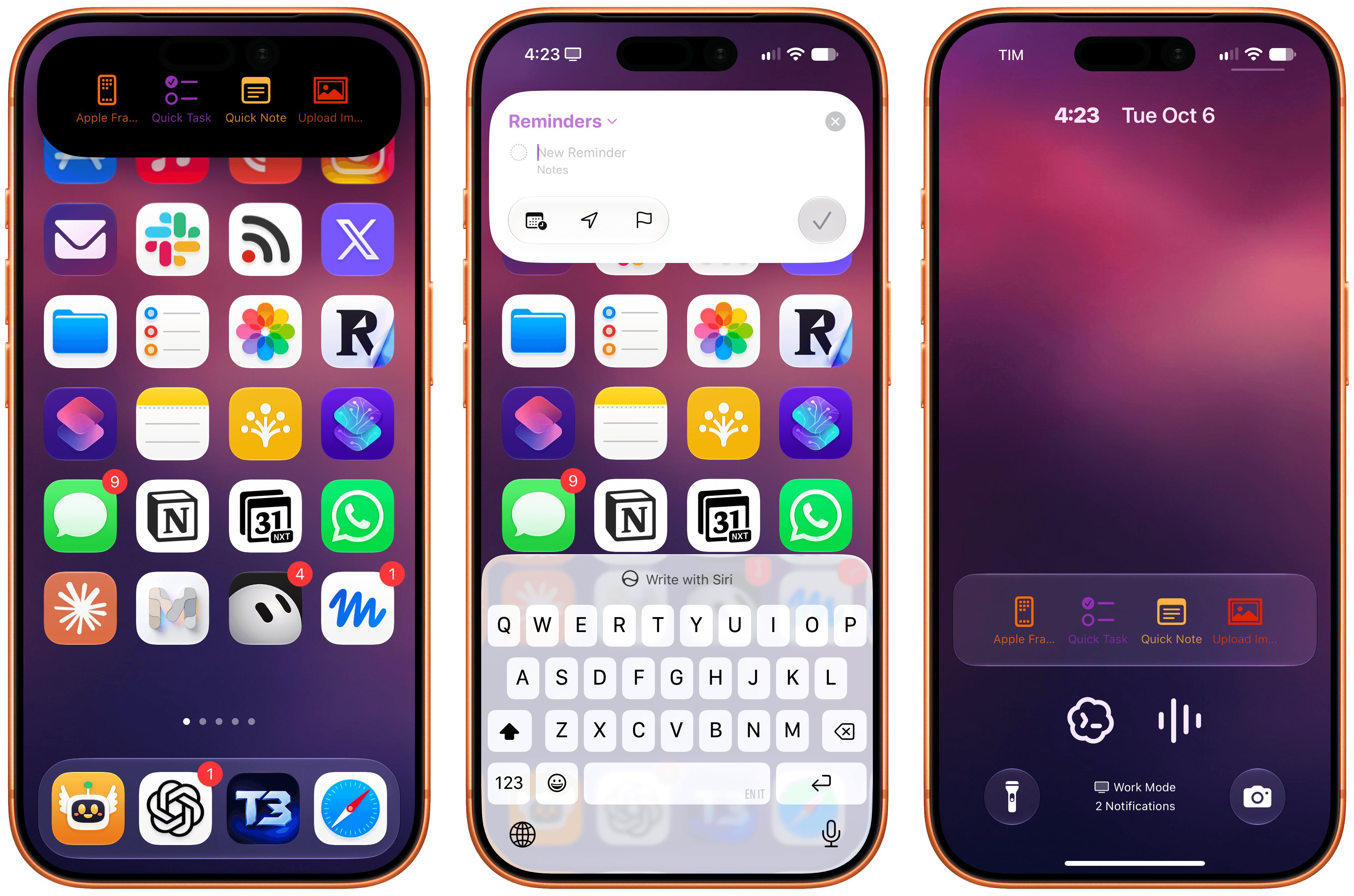
Deflector for iOS.
In my iOS and iPadOS 27 review, I wrote about one of the more interesting additions to the Shortcuts app for power users: automation triggers based on the contents of push notifications received on your device. As I explained, with this new trigger, you can create automations that run certain actions whenever a notification from a specific app, ideally containing a specific title or body text, arrives on your iPhone and iPad.
Deflector, a free utility by indie developer Cizzuk Shihu, leverages this feature in a fun and novel way: it lets you run any shortcut from your Shortcuts library directly – without launching the Shortcuts app first – from either the Dynamic Island or a Live Activity on the Lock Screen.
The concept isn’t new: we’ve seen shortcut launchers embedded in Live Activities before. What’s different is that while previous solutions relied on the Shortcuts URL scheme to open the Shortcuts app and then run a shortcut, Deflector’s approach is entirely self-contained in a Live Activity and doesn’t force you to lose the context of what you’re doing. Tap a shortcut, and it runs immediately – just like the Shortcuts widget works on the Home Screen.
The question is: how?
The ingenious implementation behind Deflector is the aforementioned automation support for notifications. When you install Deflector, you’re asked to also install a companion shortcut aptly called ‘Deflector Automation’. This shortcut, thanks to changes in iOS and iPadOS 27, contains a shareable automation that you need to enable, which is another major change of the Shortcuts app I covered here. Open the automation, and you’ll notice that it contains a notification trigger that parses the contents of a notification, allowing Shortcuts to run a shortcut directly via the native ‘Run Shortcut’ action.
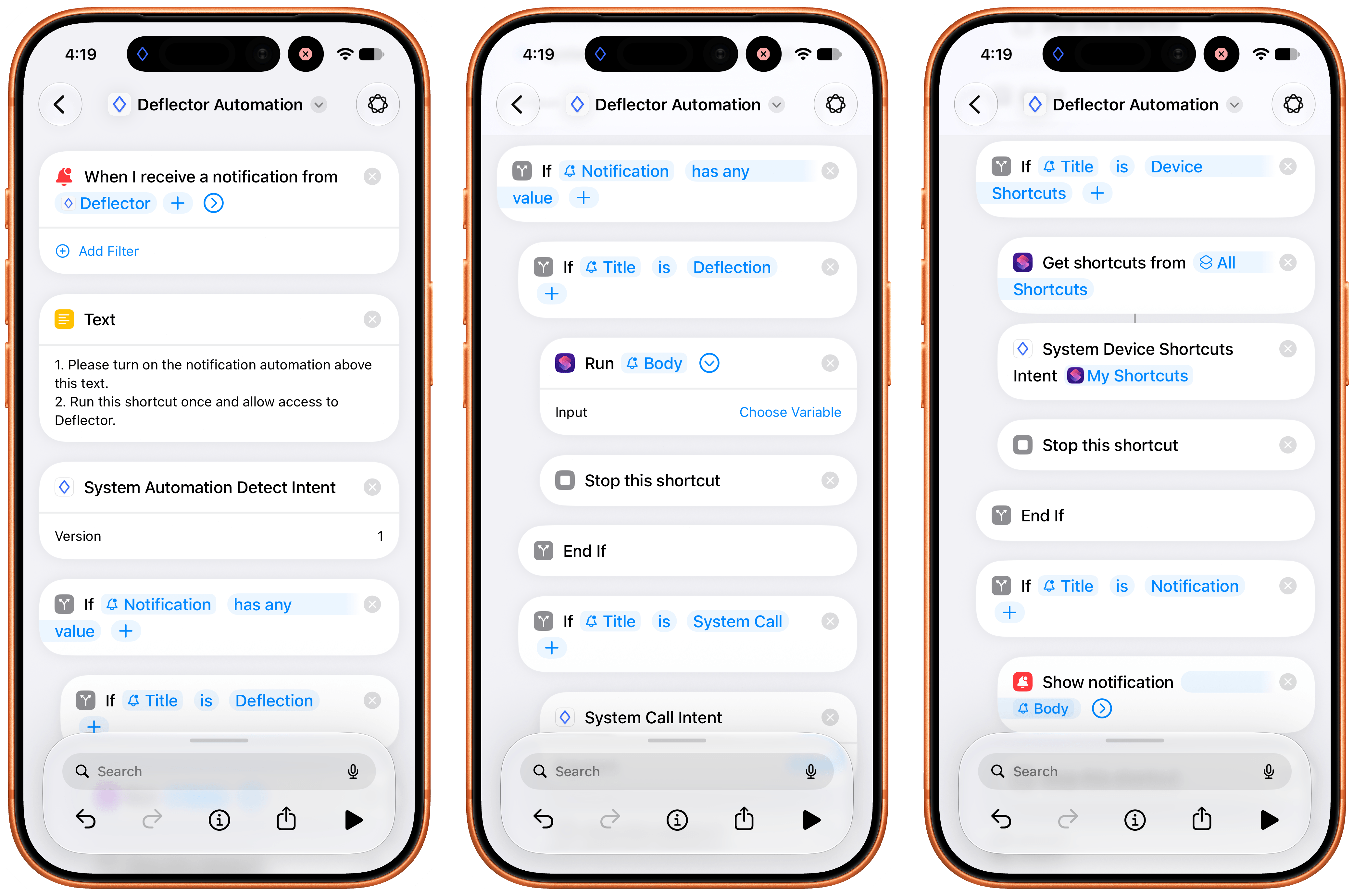
The automation that powers Deflector.
And here lies the magic trick behind Deflector: whenever you tap a shortcut in its Live Activity, the app sends a notification to itself that contains the name of the shortcut you want to run in the body text of the notification. When the “self notification” arrives – and these are silent notifications that you won’t even see on-screen – the associated Shortcuts automation is triggered, the name of the shortcut is passed to the ‘Run Shortcut’ action, and voila – the shortcut runs, no x-callback-URL necessary.
That’s all there is to Deflector, effectively. You can choose how many shortcuts you want to display in the Live Activity, and you can also choose an SF Symbol and color for each one. The process of fetching shortcuts from your library is handled by the same automation, which uses an App Intent and the ‘Get My Shortcuts’ action to pass the full list of your shortcuts back to Deflector in a couple of seconds. This is another novel implementation I’ve never seen anywhere else.
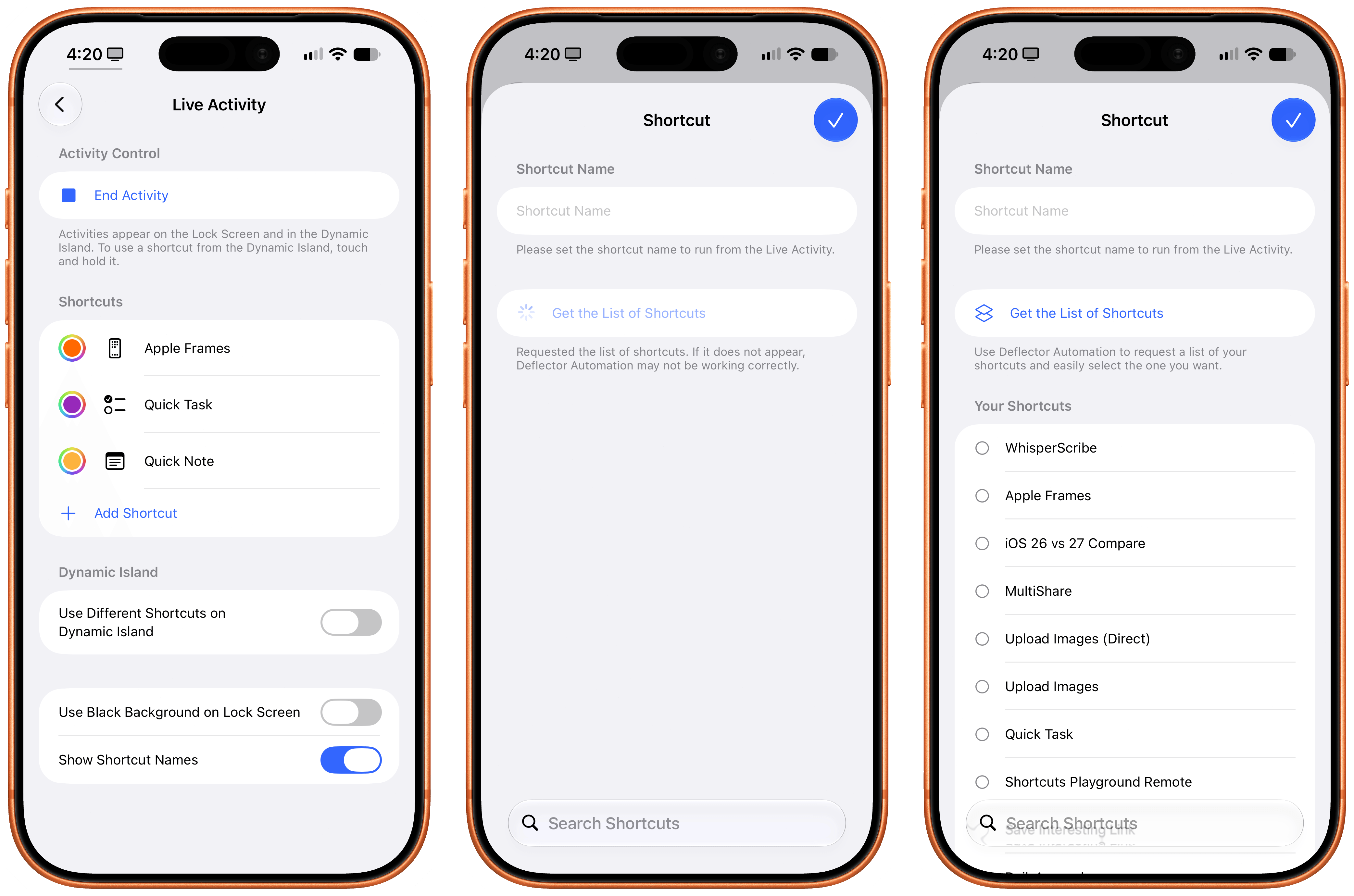
Adding new launchers in Deflector.
There are some optimizations I’d like to see in Deflector. There is, for instance, a one-second delay between tapping a shortcut and seeing the shortcut execute on-screen, which is most likely the time it takes for the notification to be sent, delivered, and parsed by Shortcuts behind the scenes. I also wish I could rename launchers in the Dynamic Island to use custom names: if you rename a launcher, it’ll break the ability for Deflector to find a matching shortcut in your library.
These are minor complaints about a free utility based on a genius workaround that has allowed me to launch shortcuts more quickly than before and, most importantly, tie two different sets of shortcuts to the Action button and the Dynamic Island. One of the reasons I still love writing about indie apps after all these years is exemplified by Deflector: in the right hands, new Apple APIs and frameworks can be applied by indie developers to ideas that Apple didn’t foresee in the first place.
Deflector is free on the App Store. If you’re a Shortcuts user, you’ll want to play with this app right away.